Redmine Passwords
Team passwords where your projects are
AlphaNodes online training, about 5 minutes
What the plugin does
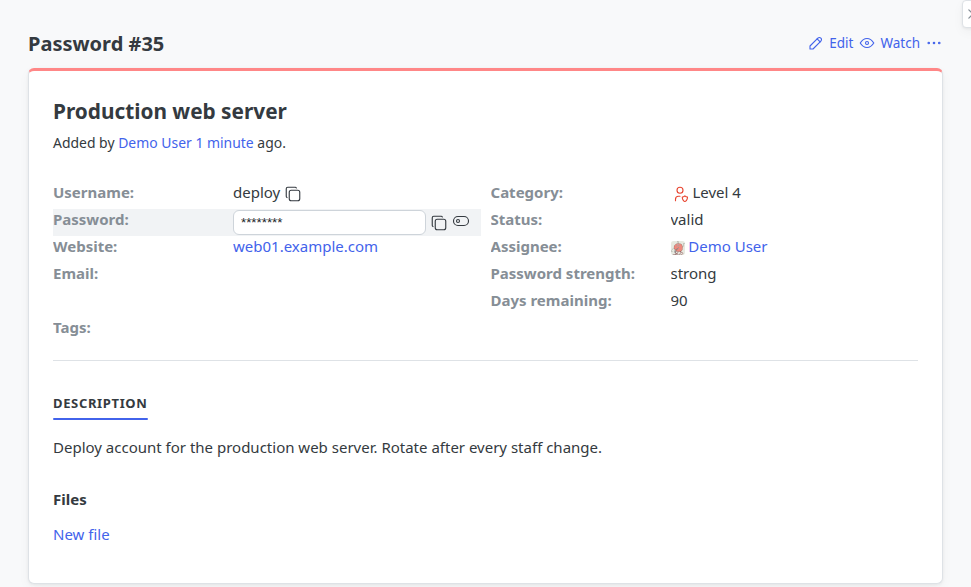
Redmine Passwords keeps the access data of a project in the project itself, instead of in mail threads, wiki pages and spreadsheets.
- One entry per access: username, password, website, category, status
- Who sees it follows the project membership and the roles, like everything else in Redmine
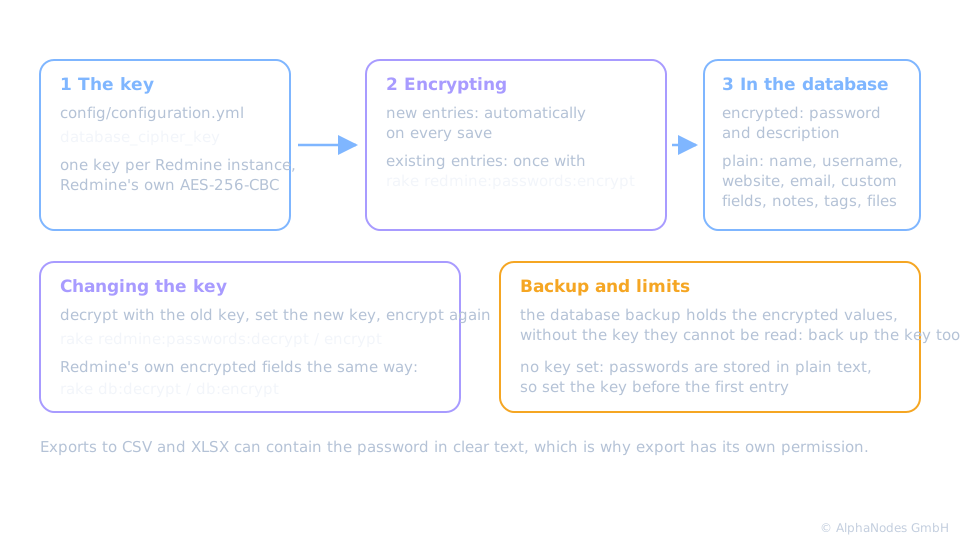
- Password and description are stored encrypted in the database
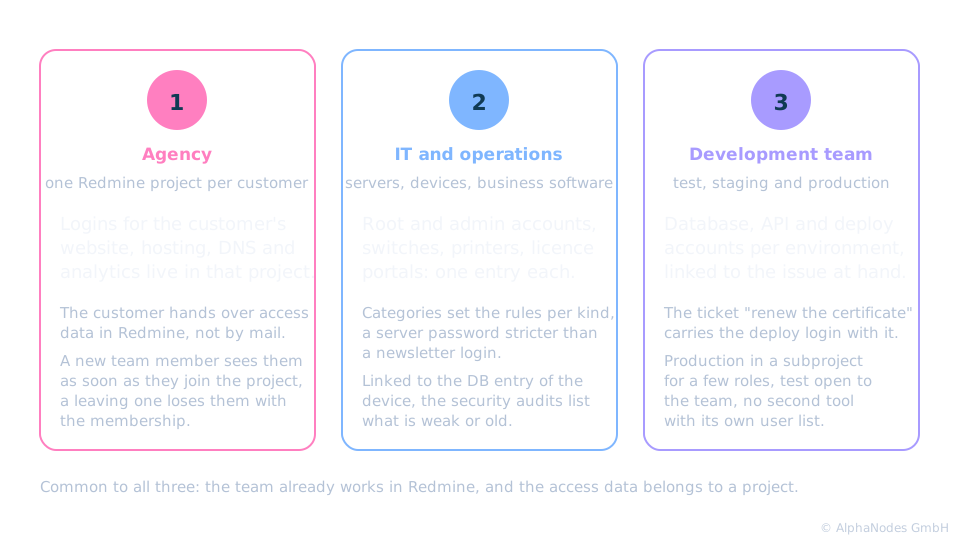
Who is it for? Three examples
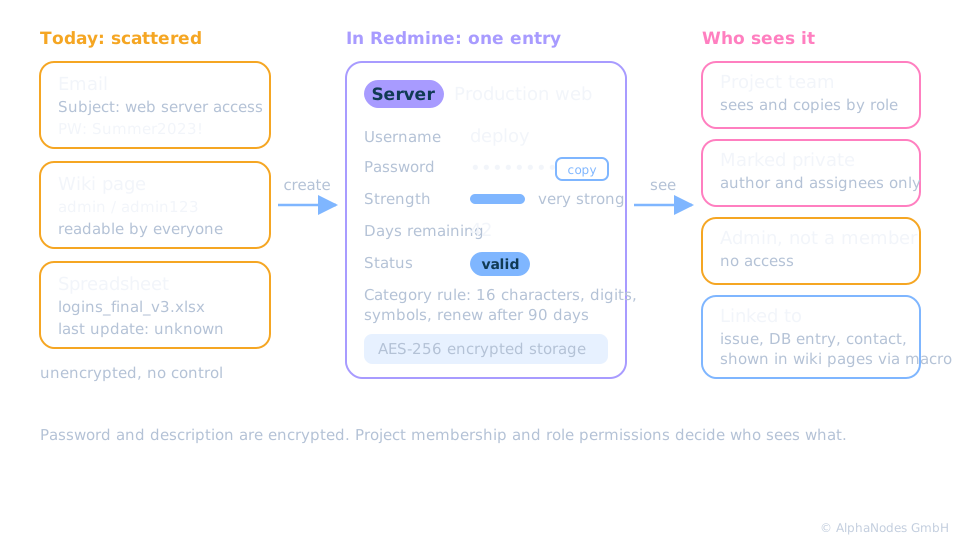
From scattered to one place
Categories and rules
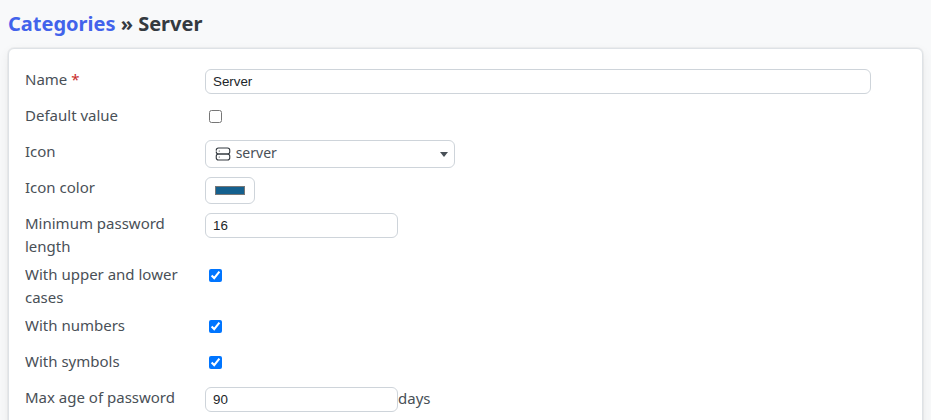
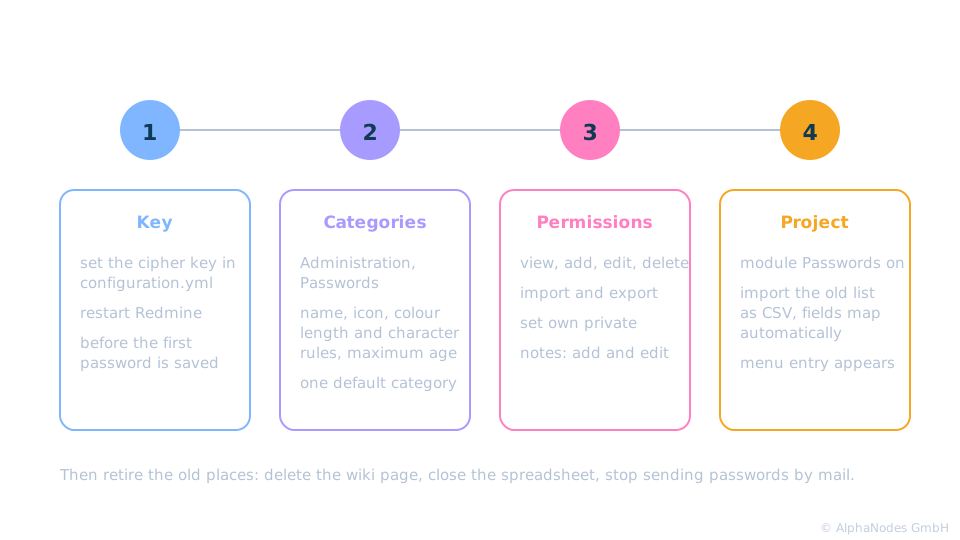
Administration, Passwords, tab Categories: each category sets minimum length, character rules and a maximum age in days. The generator follows them, and entries show the days remaining when their category has a maximum age.
Anatomy of a password entry
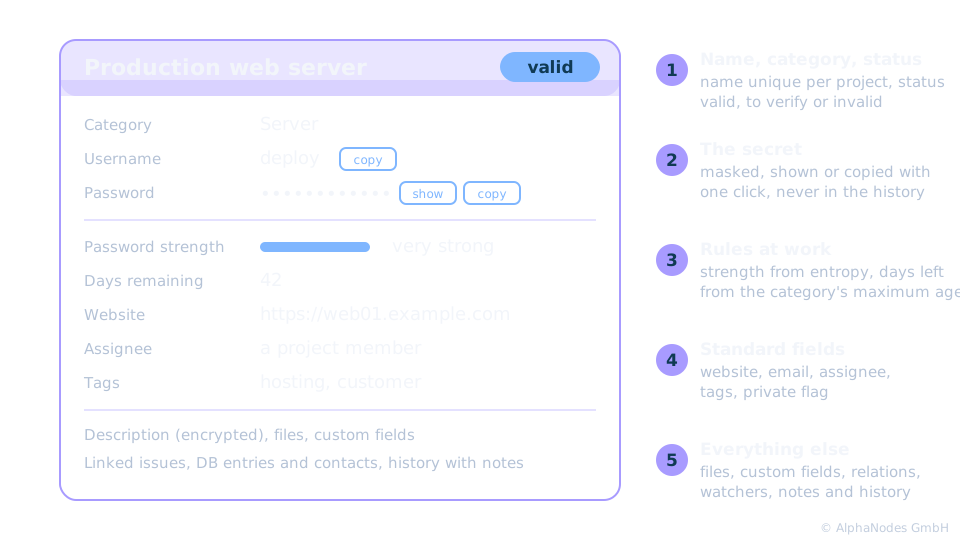
What it looks like
Who sees what
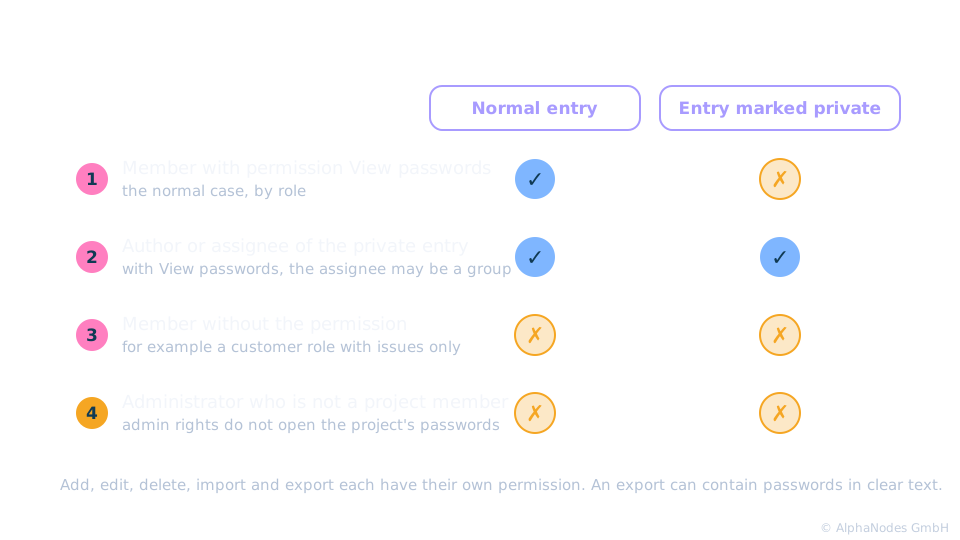
The rules in words
Who sees what
- Project members with the permission see all entries of the project, by role: view, add, edit, delete
- An entry marked private is seen only by its author and the assigned user or group, who need View passwords too
- An administrator who is not a member of the project sees nothing
Export to CSV or XLSX can contain passwords in clear text. That is why export has its own permission.
Encryption
Finding and keeping order
- Filters by category, status, tags, assignee, strength and age, saved as queries per project or for all projects
- Security audits in the sidebar list weak passwords and passwords older than 6 months, 1 year or longer
- Status valid, to verify or invalid marks what needs attention, the history records every change but never the secret itself
Getting started
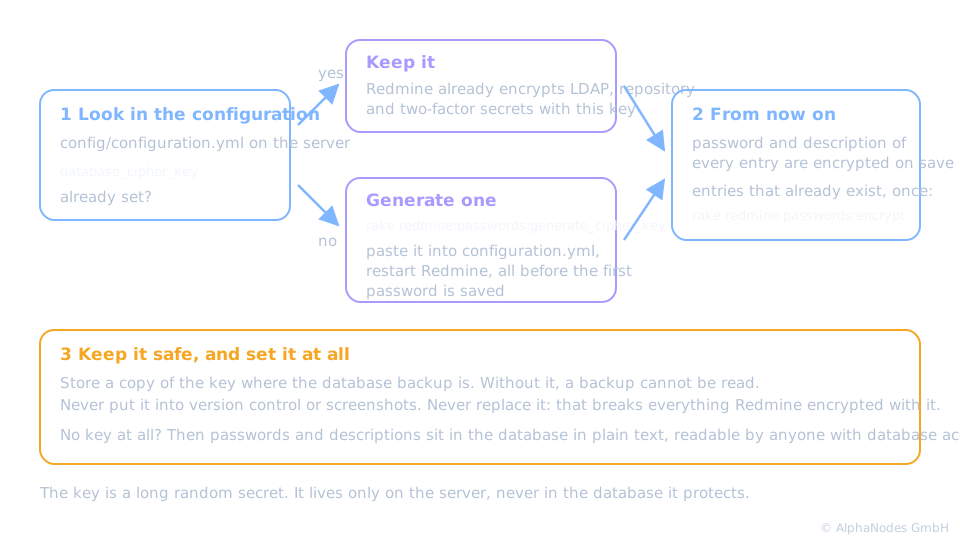
What is the cipher key?
The cipher key, explained
In short
One place, encrypted, visible by role. Retire the mail thread.
Works together with
- Issues: link a password to the issue it belongs to, across projects if the setting allows it
- DB plugin: attach the password to the server, device or licence it opens
- ServiceDesk plugin: link customer logins to the contact
- Automation plugin: rules when a password is saved, or on a schedule
Not included: a browser extension that fills in forms, and a log of who viewed a password. Redmine Passwords is part of the Enterprise+ bundle, also available on its own.
See the issue link in 24 seconds
Linking a password to an issue, in 24 seconds
New issue, Add passwords, search the entry, tick it, create the issue. The password then appears under Password relations on the issue.
See it live
Try the plugin in our online demo
Product page · Back to online training
© AlphaNodes GmbH, all rights reserved