Chart blocks
Turn any saved query into a chart on your dashboard
AlphaNodes online training, about 5 minutes · Reporting 4.7 and newer
What is new
Fixed charts such as "issues by tracker" are gone. One block type replaces them, and you decide what it shows.
- Chart: Issues, Chart: Spent time, Chart: Logs, Chart: Projects
- Any saved query, any list, date or number field
- Eight ways to draw it, from doughnut to calendar
Existing dashboards are converted during the update, field by field.
More below
What is new: the details
- Until 4.6 every chart was a fixed block: issues by tracker, by priority, new issues per day.
- Chart: Projects exists on the home page only.
- Each block type can be added up to eight times per dashboard.
- Display types: doughnut, pie, horizontal and vertical bars, treemap, line, area, calendar, table.
Four decisions make a chart
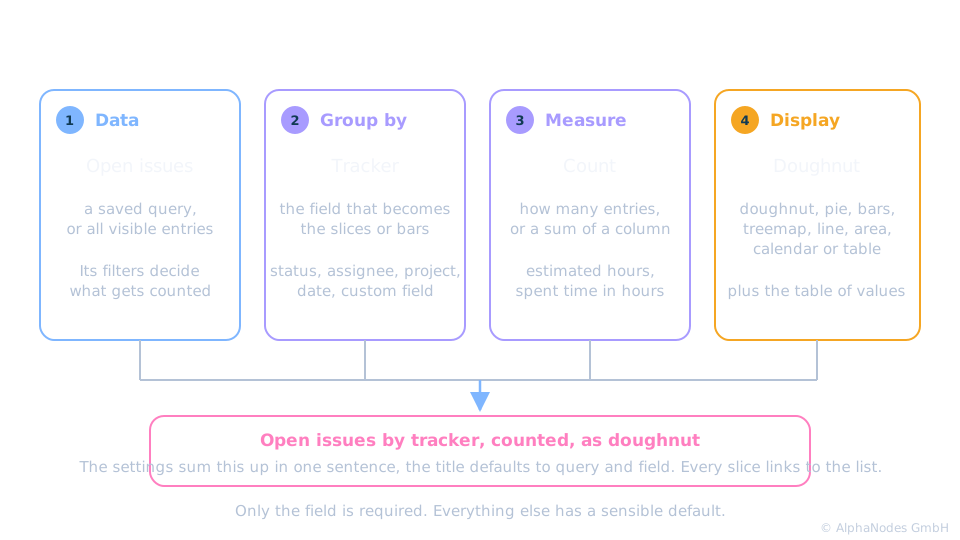
How a block is built
- Data: a saved query decides what is counted
- Group by: the values of one field become the slices or bars
- Measure: count the entries, or sum up hours
- Display: the chart type, with or without the table of values
Every slice, bar and cell links to the list behind it. The chart asks, the list answers.
More below
How a block is built: the details
- Data: without a query all visible entries count; a checkbox limits issues to open ones.
- Group by: status, assignee, project, custom fields and more.
- Measure: count, or a sum such as estimated hours; spent time sums hours by default.
- The entry "Others" has no link.
Configuring a block, in 48 seconds
Open the block settings, pick the query, the field and the chart type, save. The sentence at the top tells what the block will show.
Three questions, three blocks
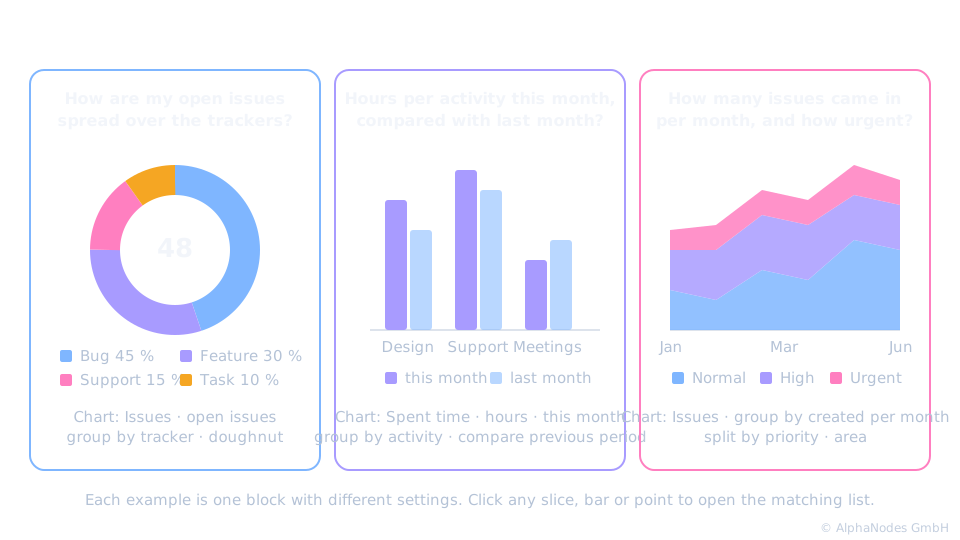
Live: one block on the demo dashboard
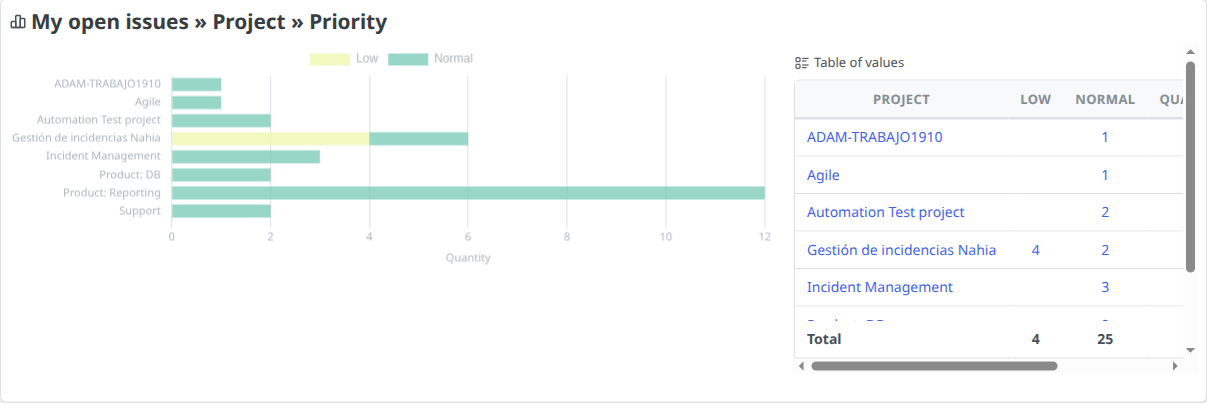
Query "My open issues", grouped by project, split by priority, horizontal bars with the table of values. Every bar and number is a link.
Going further
- Split: each bar stacked by a second field, such as priority
- Compare: a second query, or the previous period
- Top entries: the largest values, the rest as "Others"
Split and compare need bars, lines, areas or the table. Doughnut and pie show shares of one whole.
More below
Going further: the details
- Split: bars, areas, lines or a cross table.
- Compare: either a split or a comparison, not both.
- The previous period is available for spent time and invoices when a period such as "this month" is set.
- Top entries: show only the N largest values, or only values above a share in percent; the rest is summed up as "Others".
- On a timeline the maximum keeps the latest periods.
Dates and numbers behave differently
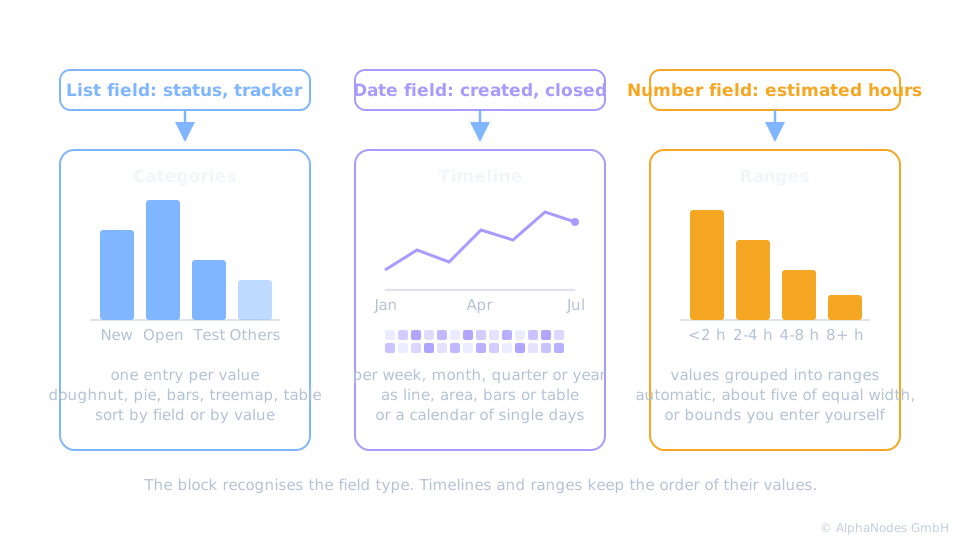
Timelines, calendars and ranges
- Date field: entries per week, month, quarter or year
- Calendar: one cell per day, the darker the busier
- Number field: values sorted into ranges
The calendar replaces the old "new issues" and "new time entries" blocks of all plugins.
More below
Timelines, calendars and ranges: the details
- Dates: created, closed, due date and date custom fields, drawn as line, area or bars.
- Calendar: the last year, one coloured cell per day, colour levels from the own values.
- Numbers: estimated hours, done ratio and the like; about five ranges of equal width, or bounds you enter yourself.
One block type, every plugin
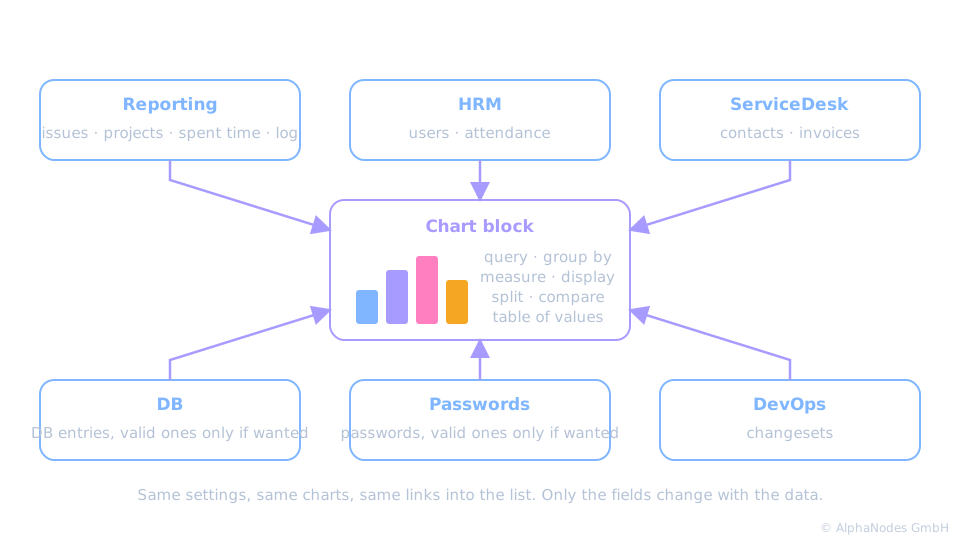
The same block in the other plugins
- HRM: users and attendance
- ServiceDesk: contacts and invoices
- DB entries, passwords and changesets
Learn the block once, use it everywhere. Only the fields differ.
More below
The same block in the other plugins: the details
- Block names: Chart: Users, Chart: Attendance (HRM dashboard only), Chart: Contacts, Chart: Invoices, Chart: DB entries, Chart: Passwords, Chart: Changesets.
- Invoices know a period and the previous period like spent time.
- DB and Passwords offer "valid entries only".
In short
Pick a query, pick a field, pick a chart. The dashboard answers the question your team asks every week.
Good to know
- A block counts only what the viewer may see
- Up to eight blocks of one type per dashboard
- Also new: Chart: Issue lifetime, days from created to closed
Requires Reporting 4.7. The blocks of the other plugins need their current version.
More below
Good to know: the details
- Visibility follows the list the block links to.
- Issue lifetime shows the median of days from created to closed of the issues closed per week or month.
See it live
Try the chart blocks in our online demo
Product page · Back to online training
© AlphaNodes GmbH, all rights reserved