Redmine Reporting
See what is going on in your projects
AlphaNodes online training, about 5 minutes
What the plugin adds
Redmine stores all project data. Reporting makes it visible: lists you can evaluate, numbers you can trust, charts where people look.
- A project list you can filter, sort, search and export
- Budget and costs from hourly rates and logged time
- More filters and columns for issues, a board view, charts and counters
The areas of the plugin
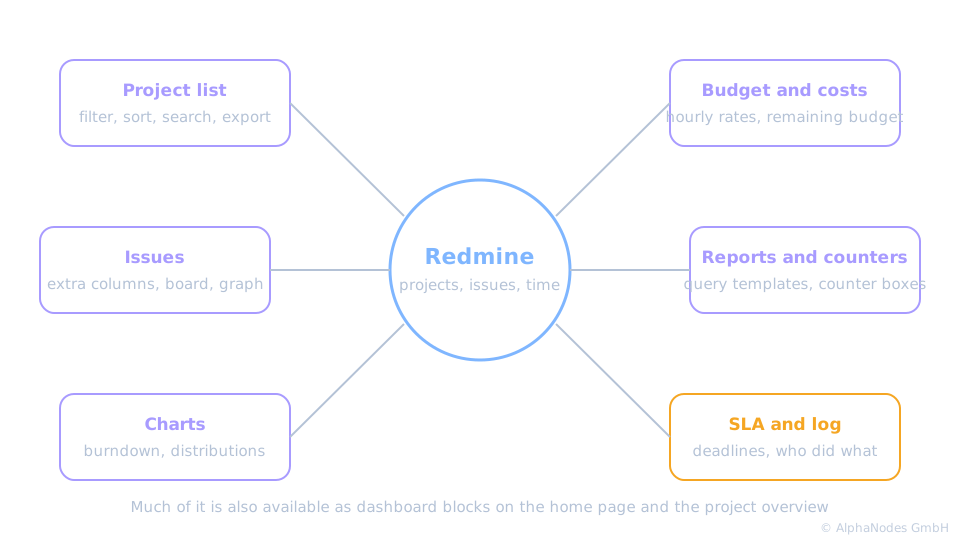
Project list
- Additional columns and filters for the table view: tags, costs, budget, issue counts and more
- Live search and project tags to find the right project fast
- Export of the filtered list as CSV, XLSX or PDF
Teams with many parallel projects gain the most. Switch to the list view right after installation.
From hourly rates to remaining budget
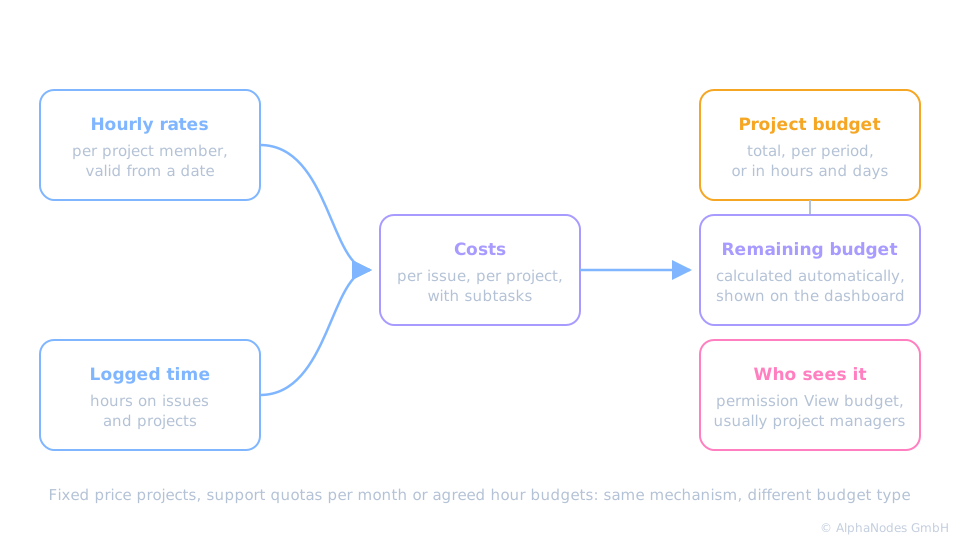
Budget and costs
- Budget per project: a total, per month, quarter or year, or as hours or days
- Hourly rates per project member with a validity date
- Costs appear in the issue list and in the project list, remaining budget on the dashboard block project planning
Four ways to look at the same issues
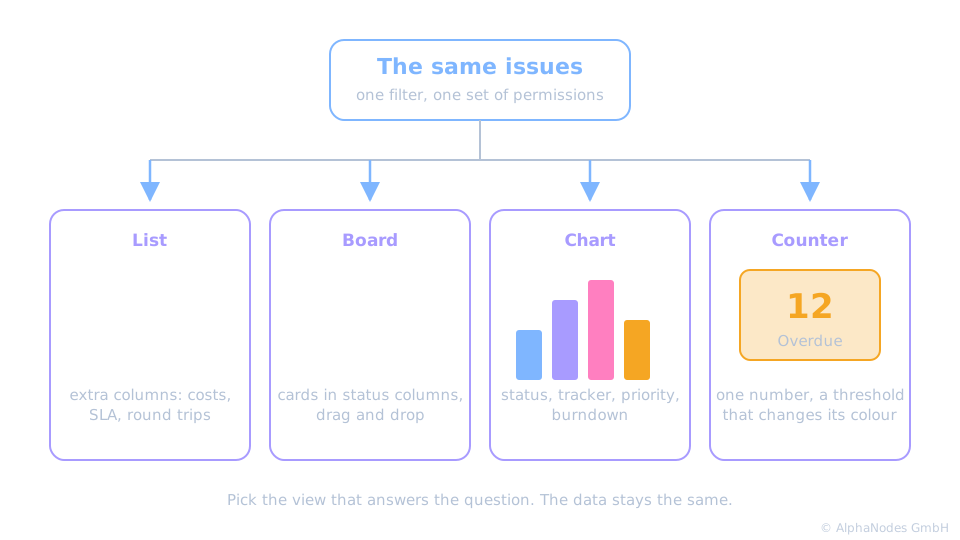
Issues
- Extra columns and filters: costs, SLA values, and with the matching settings round trips and due date with version
- Board view: the issue list as cards in status columns, with drag and drop
- Workflow graph: the status workflow as a picture
Reports, counters and charts
- Ready made query templates for projects, time entries and issues, adjustable like any query
- Counter boxes: every saved query as a number on the home page or project overview, with thresholds
- Charts as dashboard blocks: burndown for versions and projects, issues grouped by status, tracker or priority, busiest time of day
SLA and log
- SLA: response and solution times per issue priority, measured per project
- Global log: logins, configuration changes, created and changed objects across your projects, administrators see everything
- SLA has its own training, the log is covered in the documentation
In short
Reporting turns the data your team already enters into answers, without a second tool.
Requirements
- Reporting is the base for Automation, DevOps, HRM and ServiceDesk
- Part of the Enterprise+ bundle, also available on its own
Which functions a user sees depends on role permissions and the modules activated in the project.
See it live
Try the plugin in our online demo
Product page · Back to online training
© AlphaNodes GmbH, all rights reserved