Managed Hosting / Redmine Products / Redmine DevOps Plugin
Bring information from externally hosted Git repositories and DevOps services together in Redmine
Git hosting, CI/CD, monitoring, web analytics: in DevOps projects you inevitably work with many external systems. The Redmine DevOps Plugin brings their data together in Redmine, from GitLab, GitHub, Jenkins, Zabbix, Hetzner, Matomo (from v4.7.0) and other Redmine systems.
Development teams need a good working environment. The more backend systems are in use, the harder it gets to bring everything together. Your team then lacks the context for its daily work. A suitable Redmine integration provides it.
Support your users where possible
Make it easy for your Redmine team and provide them with the info where they spend most of their business time, so they can quickly and easily get the information that is relevant to them at a glance.
DevOps Teams
The goal of every DevOps team is to achieve a maximum of results with a minimum of effort. That’s why you should give your DevOps team direct access to relevant information from external platforms, even within Redmine.
Project Manager
In order for the DevOps approach to succeed, it is essential to provide responsible project managers with all the necessary information centrally and in a simple manner for better team coordination.
Project Team & Stakeholders
Anyone who is affected by the outcome of a project or has an interest in the project’s success should also have the opportunity to view externally managed, project-relevant information as needed.
How does it work
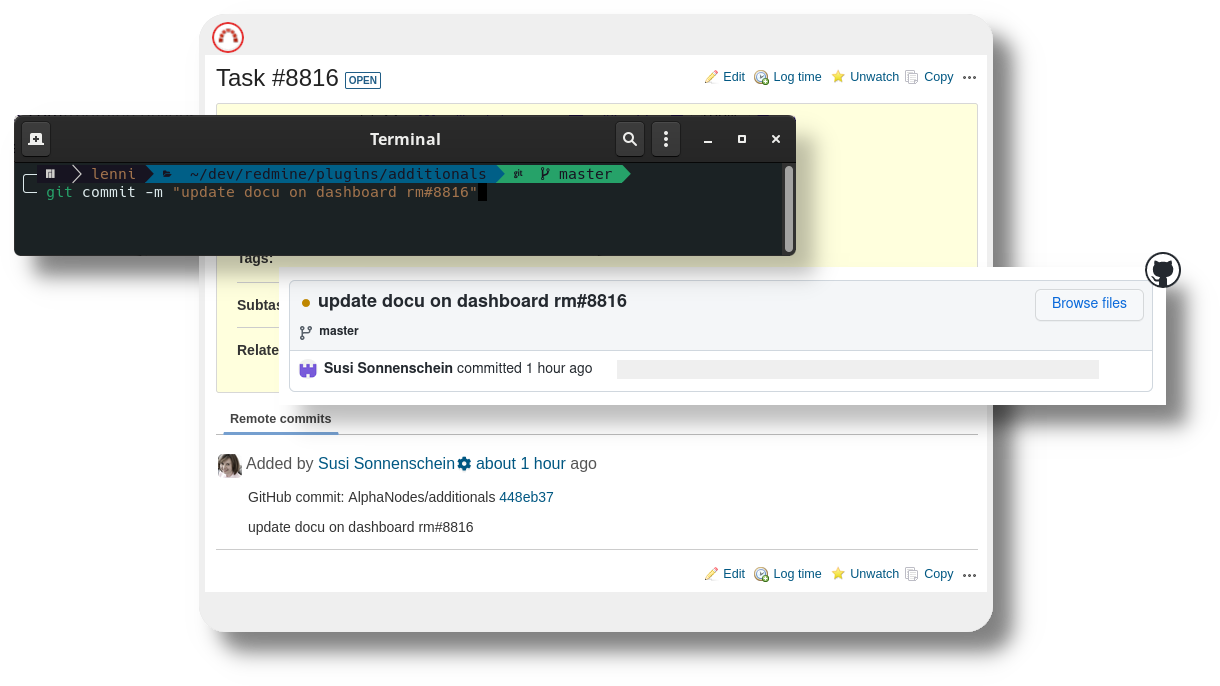
Connect your external Git Repositories or other supported development Tools with Redmine (e.g. GitHub Secret Key, GitLab private token, Jenkins API token, Zabbix access information). When your GitHub, GitLab, Zabbix or Jenkins account is linked to Redmine Software, your team gets to see commit messages and other relevant information directly in Redmine.
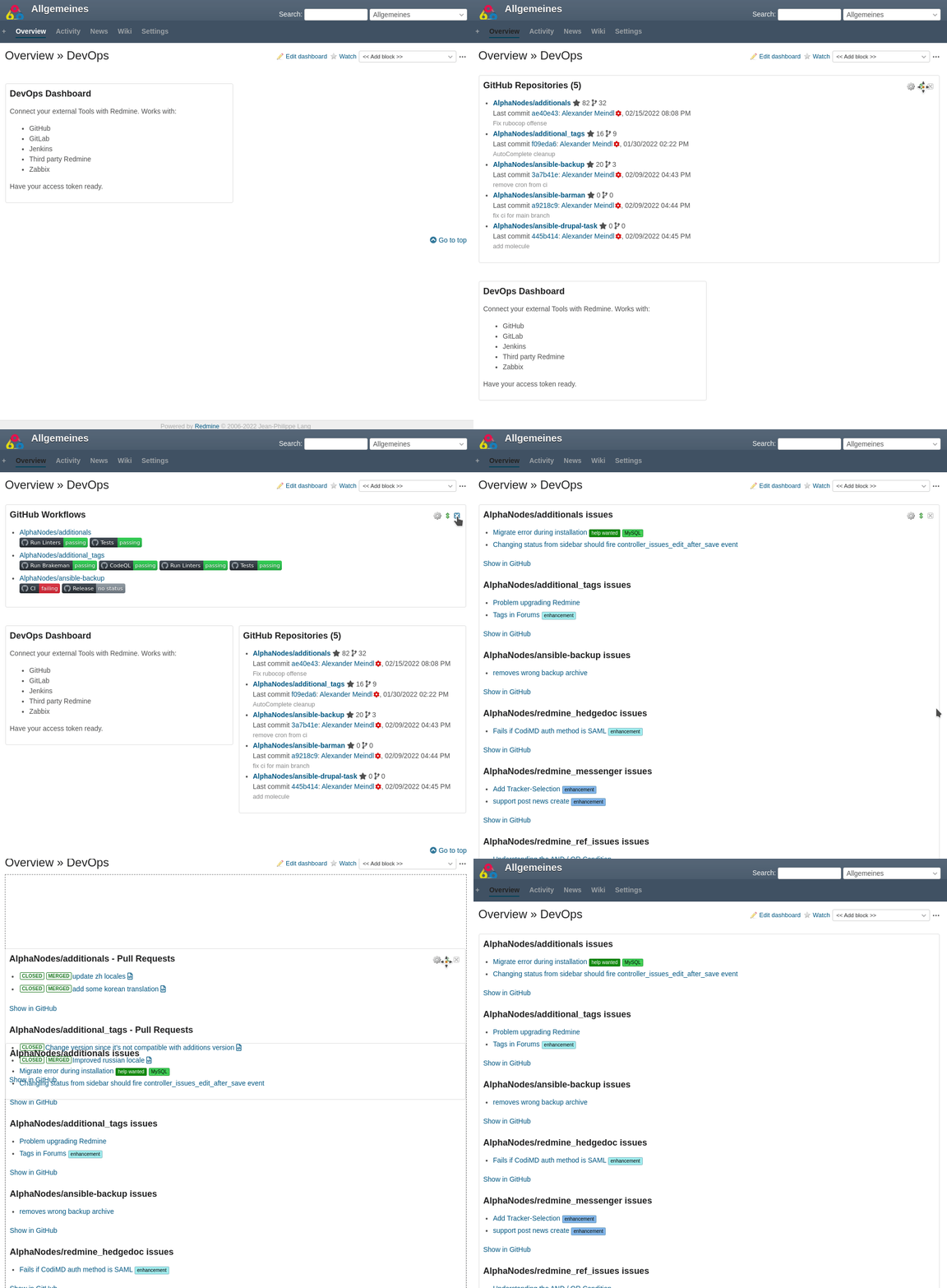
You place them as dashboard blocks on the project overview page and show commit messages inside the related Redmine issues. Every user with access to the dashboard sees the externally stored information without leaving Redmine and without an own account in the external system.
Redmine is your information hub
Since Redmine acts primarily as an information hub, the displayed information is simply linked to the content on your external development tool, where all further action will take place.
The Redmine DevOps Plugin brings the development data into your project
Even if your developers moved all their work into external DevOps tools, the rest of your project team sees the available development information in Redmine whenever they need it.
Dashboard Support
Supports the use of dashboards (public, private, role based) by providing custom blocks. This way you display relevant information within a Redmine project overview page where you want
Project Relation
Is optimally integrated with Redmine. Must be set up per project. Is equipped with role-based access permissions (view, link). Can also be configured with private account information (private Dashboard)
Ticket commit link
Allows linking commits in the external Git repository to Redmine issues if the developer uses the corresponding issue key in the commit message
GitHub Integration
Provides information about Pull-Requests, Repositories, Issues and Workflows within Redmine project overview
GitLab Integration
Delivers information about Merge Requests, Pipelines, Projects and Issues within Redmine project overview
Last Commits
Shows the latest commits in external stored repository on the Redmine project overview page
Failed Jenkins Jobs
Lists all failed Jenkins jobs and links to them
Zabbix Hosts & Problems
Lists Hosts and all problems in Zabbix and links to them
Hetzner Cloud Integration
Shows servers, server list and volumes from Hetzner Cloud with status and specs
Matomo Integration
Shows visits and goals of your website with the change against the comparison period and optional thresholds (from v4.7.0)
External Redmine Integration
Supplies information from externally connected Redmine systems such as repositories, tickets, projects, system information
Our plugins will suit your needs!
Our Redmine plugins are multilingual and a good choice if you want to work productively. 12 month support & updates included.
Buy DevOps Plugin v4.6.0
Affordable prices regardless of your team size
1 Does not run stand-alone. Requires Redmine Reporting.